
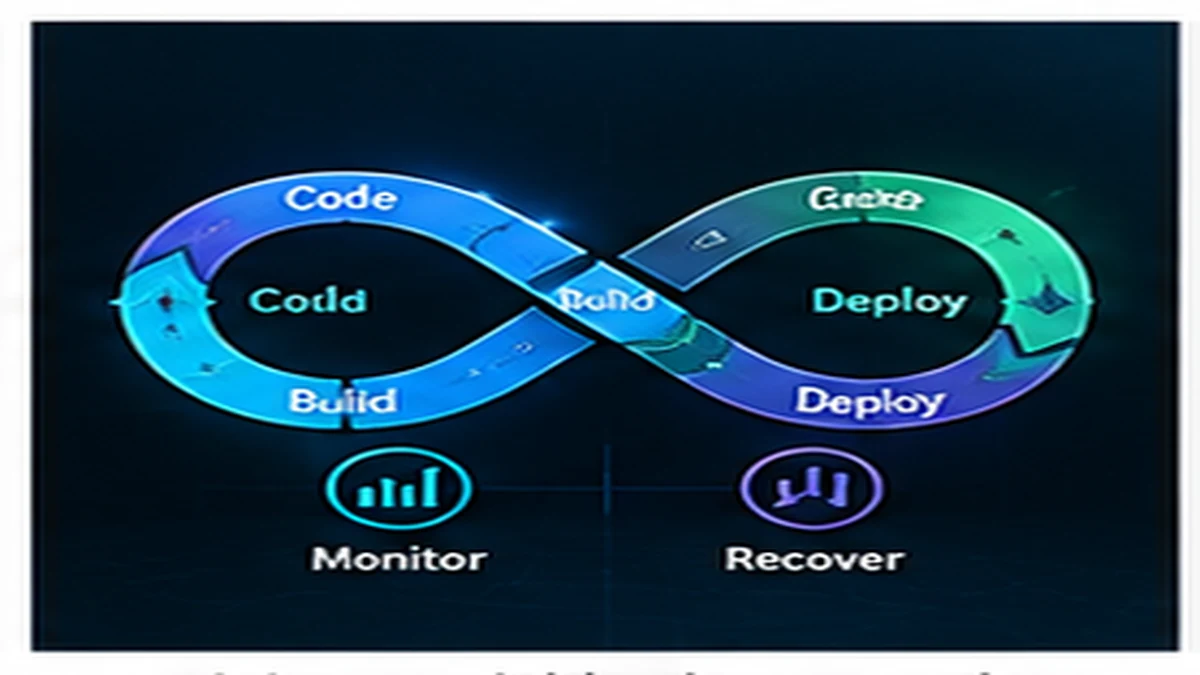
DevOps practices do not require a dedicated platform team, Kubernetes clusters, or enterprise observability tools. Small teams benefit from a practical foundation: version-controlled source code, repeatable builds, automated testing, deployment automation, environment separation, secrets management, logging, backups, basic monitoring, and rollback capability. These practices reduce manual toil, catch errors early, and make production incidents easier to diagnose.
Source control: non-negotiable
All code, configuration, infrastructure definitions, and deployment scripts must be version-controlled. Source control is the foundation for collaboration, code review, rollback, and audit trails.
What belongs in source control
- Application code
- Configuration files
- Infrastructure-as-code definitions
- Database migration scripts
- Deployment scripts
- Documentation
What does not belong in source control
- Credentials, API keys, or secrets
- Large binary files or build artifacts
- Local environment configuration
- Personal IDE settings
Use Git or equivalent. Host in a centralized repository (GitHub, GitLab, Bitbucket). Require code review for production-impacting changes.
Repeatable builds
Building the application should produce identical results regardless of who runs the build or when they run it.
Lock dependency versions
Use lock files (package-lock.json, Gemfile.lock, requirements.txt with pinned versions) to ensure consistent dependency resolution. Floating versions like "latest" cause builds to break unexpectedly.
Document the build process
New developers should be able to build and run the application locally by following written instructions. The build process should not rely on undocumented local configuration or manual steps.
Automate builds
Build automation catches integration issues early and ensures consistency between local, CI, and production environments.
Continuous integration (CI)
Every commit to the main branch should trigger an automated build and test run. CI catches integration problems, test failures, and code quality issues before they reach production.
What CI should do
- Run the build
- Execute automated tests
- Check code formatting and linting
- Run security scans if available
- Report failures quickly
CI tools
GitHub Actions, GitLab CI, CircleCI, and similar tools provide free or low-cost CI for small teams. Choose one that integrates with your source control platform.
Keep CI fast
Slow CI encourages developers to skip it or merge without waiting for results. Aim for CI runs under 10 minutes. Optimize slow tests or run them in parallel.
Deployment automation
Deploying to production should not require manual steps, SSH sessions, or undocumented procedures. Deployment automation reduces errors, makes rollbacks easier, and enables frequent releases.
Automated deployment checklist
- Deploy from a single command or button
- Pull code from source control, not a developer laptop
- Run database migrations automatically or with clear instructions
- Restart services in the correct order
- Verify deployment health
Deployment tools
Platform-as-a-service providers (Heroku, Render, Fly.io, Railway) handle deployment automation. Self-hosted options include shell scripts, Ansible, or CI/CD pipelines.
Environment separation
Code should not be developed and tested directly in production. Separate environments reduce risk and allow testing before release.
Minimum environments
- Development: local environment on developer machines.
- Staging: production-like environment for testing and validation.
- Production: live environment serving real users.
Environment parity
Staging should resemble production as closely as possible: same operating system, same database version, same deployment process. Differences between environments cause bugs that only appear in production.
Configuration management
Use environment variables or configuration files to manage differences between environments. Do not hardcode environment-specific values in application code.
Secrets management
API keys, database credentials, and other secrets must not appear in source control, log files, or error messages.
How to manage secrets
- Use environment variables or a secrets management service (AWS Secrets Manager, HashiCorp Vault, Doppler).
- Rotate secrets periodically.
- Limit access to production secrets.
- Use different secrets for each environment.
For detailed guidance, see Secrets Management Checklist for Small Teams.
Logging
Production systems must log enough information to diagnose problems without excessive noise.
What to log
- Application errors with stack traces
- Request and response details
- Performance metrics (slow queries, high latency)
- Security events (login attempts, permission failures)
What not to log
- Passwords or secrets
- Personal information or sensitive data
- Full request bodies containing user-submitted content
Centralized logging
Small teams can start with application logs written to files and rotated to prevent disk exhaustion. As the system grows, centralized logging (Papertrail, Logtail, CloudWatch Logs) makes searching and filtering easier.
Backups
Data loss is preventable. Automated backups must run regularly and be tested.
Backup checklist
- Automated daily backups of databases and persistent data
- Backups stored in a different location than production (different region, different cloud provider)
- Regular restore tests to verify backups are usable
- Retention policy (how long to keep backups)
- Documentation for how to restore from backup
Monitoring and alerting
Small teams cannot monitor dashboards 24/7. Monitoring should detect problems automatically and alert when action is required.
What to monitor
- Application health: is the service running?
- Error rates: are errors increasing?
- Latency: are requests slowing down?
- Resource usage: CPU, memory, disk usage approaching limits?
- Key transactions: are critical workflows working?
Monitoring tools
Start with simple health checks (uptime monitors like UptimeRobot, Pingdom). Add application performance monitoring (APM) when debugging performance issues becomes difficult.
Actionable alerts
Alert on conditions that require immediate action, not every minor issue. Too many alerts create noise and are ignored. Each alert should indicate what is wrong and what action is needed.
For more on deployment monitoring, see Observable Deployments Without an Observability Tax.
Rollback strategy
Deployments sometimes introduce bugs. The ability to roll back to the previous working version quickly is essential.
Rollback requirements
- Previous version remains available for quick redeployment
- Database migrations are reversible or forward-compatible
- Rollback process is documented and tested
- Rollback can be executed under pressure
Incremental improvement
Teams do not need to implement all DevOps practices at once. Start with the highest-value practices and add more over time.
Priority order
- Source control: version all code and configuration.
- Automated builds: ensure builds are repeatable.
- Continuous integration: run tests on every commit.
- Deployment automation: eliminate manual deployment steps.
- Environment separation: test changes before production.
- Secrets management: keep credentials out of code.
- Logging: collect enough information to diagnose issues.
- Backups: protect against data loss.
- Monitoring: detect production problems automatically.
- Rollback capability: recover from bad deployments quickly.
What small teams can skip (for now)
Not every DevOps practice is necessary at the start:
- Kubernetes: container orchestration adds complexity small teams do not need.
- Microservices: most applications can start as a monolith.
- Feature flags: useful for large teams, overkill for two developers.
- Canary deployments: add when traffic and risk justify the complexity.
- Infrastructure as code: valuable but not urgent if manually managed infrastructure is stable.
Add these practices when their benefits outweigh their operational cost.
The goal is reliability, not complexity
DevOps practices exist to make software delivery safer, faster, and more reliable. Small teams benefit from simple, practical automation: version-controlled code, automated tests, repeatable builds, deployment automation, environment separation, logging, backups, and monitoring. Start with these foundations and add complexity only when the business justifies it.
Published by the DSSS Engineering Team. For corrections or topic requests, use the contact page.