
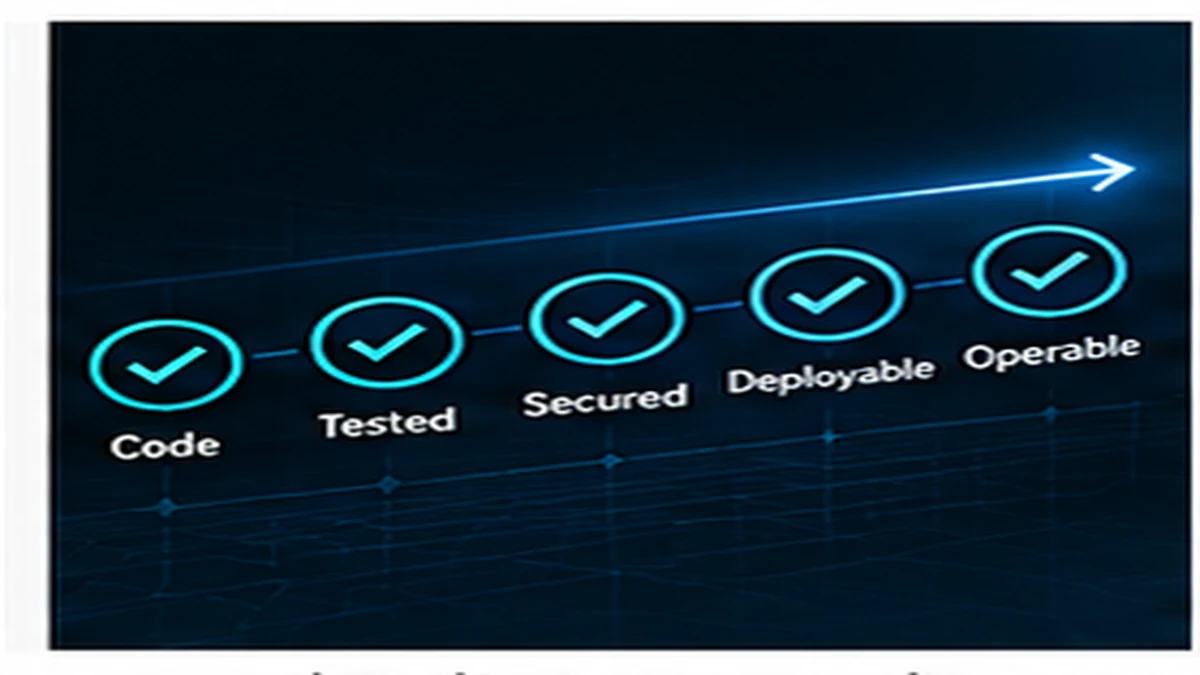
"It works on my machine" is a milestone, but it is not the same as finished software. Done means the feature is functionally complete, handles errors gracefully, has been tested, includes necessary documentation, meets security requirements, can be observed in production, and is ready for real users.
The definition of done depends on context and risk. A throwaway prototype has different completion criteria than a production API serving customer data. Clarity about what done means for a specific piece of work prevents avoidable rework and misaligned expectations.
Why "it works" is not the same as "done"
A feature that works under ideal conditions often fails in production because real users, real data, and real infrastructure introduce scenarios the developer did not test.
- Happy path only: the code works when everything goes right but crashes when inputs are invalid, services are unavailable, or edge cases occur.
- No error handling: failures produce cryptic messages, silent data corruption, or user-facing stack traces.
- Untested: the feature was manually verified once but has no automated tests to catch regressions.
- No observability: when the feature breaks in production, there are no logs or metrics to diagnose the problem.
- Incomplete: the core functionality exists but validation, edge cases, or integration points remain unfinished.
- Undocumented: future developers or operators cannot understand how the feature works or how to troubleshoot it.
Define the outcome before the code
Clarity about what done looks like prevents discovering missing requirements after implementation. Before starting work, define:
- Functional scope: what specific behaviour must the feature deliver?
- Acceptance criteria: what conditions must be true for the feature to be considered complete?
- Edge cases: what inputs, states, or conditions must be handled?
- Performance expectations: what latency, throughput, or resource constraints apply?
- Security requirements: what access controls, validation, or audit requirements exist?
- Dependencies: what other systems, APIs, or data must work correctly?
Writing these down before implementation reduces ambiguity and rework.
Functional completeness
Done means all agreed-upon functionality is implemented, not just the happy path.
Validation and constraints
User inputs must be validated. Missing or invalid data should produce clear error messages rather than silent failures or database errors. Required fields, format requirements, and business rules must be enforced.
Edge cases and boundaries
Software must handle boundary conditions: empty lists, null values, maximum limits, concurrent requests, and unexpected input combinations. Code that assumes data will always be well-formed breaks in production.
Integration points
Features that depend on external services, databases, or APIs must handle integration failures. If a third-party service is unavailable, the system should degrade gracefully or retry appropriately rather than crashing.
Failure handling
Production systems fail. Done means the code handles failures in a way that is safe, observable, and recoverable.
Error messages
Users should receive actionable error messages, not technical stack traces. Logs should contain enough context to diagnose the problem without exposing sensitive information to end users.
Graceful degradation
When a non-critical dependency fails, the system should continue operating with reduced functionality rather than becoming completely unavailable. For example, if a recommendation engine is down, an e-commerce site should still allow purchases.
Rollback and recovery
If a deployment introduces a bug, the system should be able to roll back to the previous version without data loss or corruption. Database migrations must be reversible or forward-compatible.
Testing
Done includes tests that verify the feature works and will continue to work as the codebase evolves.
Automated tests
Manual testing finds immediate problems but does not prevent regressions. Automated tests catch bugs introduced by future changes. The appropriate level of testing depends on risk: mission-critical features warrant more thorough coverage than internal tools.
What to test
- Happy path: verify the feature works under normal conditions.
- Error conditions: test validation failures, missing data, and malformed inputs.
- Edge cases: verify boundary conditions and unusual input combinations.
- Integration behaviour: test how the feature interacts with dependencies.
Test environments
Features should be tested in an environment that resembles production. Testing only on a developer laptop can miss configuration issues, network conditions, or data volume problems.
Security
Done means the feature meets security requirements appropriate to the data and users it handles.
Authentication and authorization
Users should only access data and actions they are permitted to see or perform. Authorization checks must be enforced at the API or service layer, not just in the user interface. For more on this, see Security-First API Design.
Input validation
All user inputs must be validated and sanitized to prevent injection attacks, cross-site scripting, and other exploits. Trusting client-side validation alone is insufficient.
Sensitive data
Credentials, API keys, personal information, and payment data must be handled securely. Secrets should not appear in logs, error messages, or version control.
Observability and operations
Done means the feature can be monitored, debugged, and operated in production.
Logging
The system should log enough information to diagnose problems without excessive noise. Logs should include timestamps, request identifiers, user context, and error details. Avoid logging sensitive data.
Metrics and monitoring
Key operations should emit metrics: request counts, error rates, latency percentiles, and resource usage. Monitoring helps detect problems before users report them. For more, see Observable Deployments.
Alerting
Critical failures should trigger alerts so operators can respond. Alerts should be actionable: receiving too many alerts or alerts without clear remediation steps creates noise rather than operational visibility.
Documentation and handover
Done means future developers and operators can understand, maintain, and troubleshoot the feature.
Code documentation
Complex logic, non-obvious behaviour, and design decisions should be documented in code comments or architecture notes. Future maintainers should not need to reverse-engineer intent.
Operational documentation
Features that require configuration, deployment steps, or operational runbooks should include written instructions. This is especially important for on-call engineers who may encounter the feature for the first time during an incident.
API documentation
APIs must document endpoints, request/response formats, error codes, authentication requirements, and rate limits. Consumers of the API should not need to read implementation code to understand how to use it.
Production readiness
Done means the feature is ready for real users and real traffic.
Deployment
The feature must deploy reliably. Deployment scripts, configuration, database migrations, and infrastructure changes should be tested and documented.
Performance
The feature should perform acceptably under expected load. Performance testing can identify bottlenecks, memory leaks, or inefficient queries before they affect users.
User experience
The feature should be usable. This includes clear messaging, appropriate feedback, reasonable response times, and behaviour that aligns with user expectations.
Different levels of done
Not all work requires the same level of completion. The definition of done should match the purpose and risk of the work.
Prototype
A prototype validates an idea or workflow. It may skip error handling, testing, and production readiness. The goal is learning, not deployment.
Proof of concept
A proof of concept demonstrates feasibility. It may integrate with real systems but lacks polish, testing, and operational tooling. It is not production-ready.
Development complete
The feature is functionally complete with basic testing and error handling. It works in a development environment but may not yet meet production standards for observability, security, or performance.
Production ready
The feature meets all functional, security, testing, observability, and operational requirements. It can handle real users, real data, and real failure scenarios.
Operationally mature
The feature has been running in production long enough to identify and fix operational issues. Monitoring, alerting, and runbooks reflect real-world behaviour. Future maintainers understand the system.
A practical definition of done
For most production features, done includes:
- All agreed functionality implemented including edge cases and error paths.
- Validated inputs and enforced constraints with clear error messages.
- Automated tests covering happy path, failures, and boundaries.
- Security requirements met including authentication, authorization, and input validation.
- Logging and observability sufficient to diagnose production issues.
- Documentation for developers, operators, and API consumers.
- Deployment tested in a production-like environment.
- Performance validated under expected load.
- Reviewed and approved by another developer or technical lead.
The goal is software that works reliably
Done is not when the code compiles. Done is when the feature works correctly, handles failures gracefully, can be observed and debugged, meets security requirements, and is ready for real users. Defining what done means for each piece of work prevents rework, reduces production incidents, and creates software that teams can confidently operate and evolve.
Published by the DSSS Engineering Team. For corrections or topic requests, use the contact page.